Scheduler
Drag-and-drop on any table with a start and an end, inside your model-driven app. Free, no account.
Explore the schedulerA free drag-and-drop scheduler for any Dataverse table, inside your model-driven app.
Optimize fills and balances the schedule when you ask.
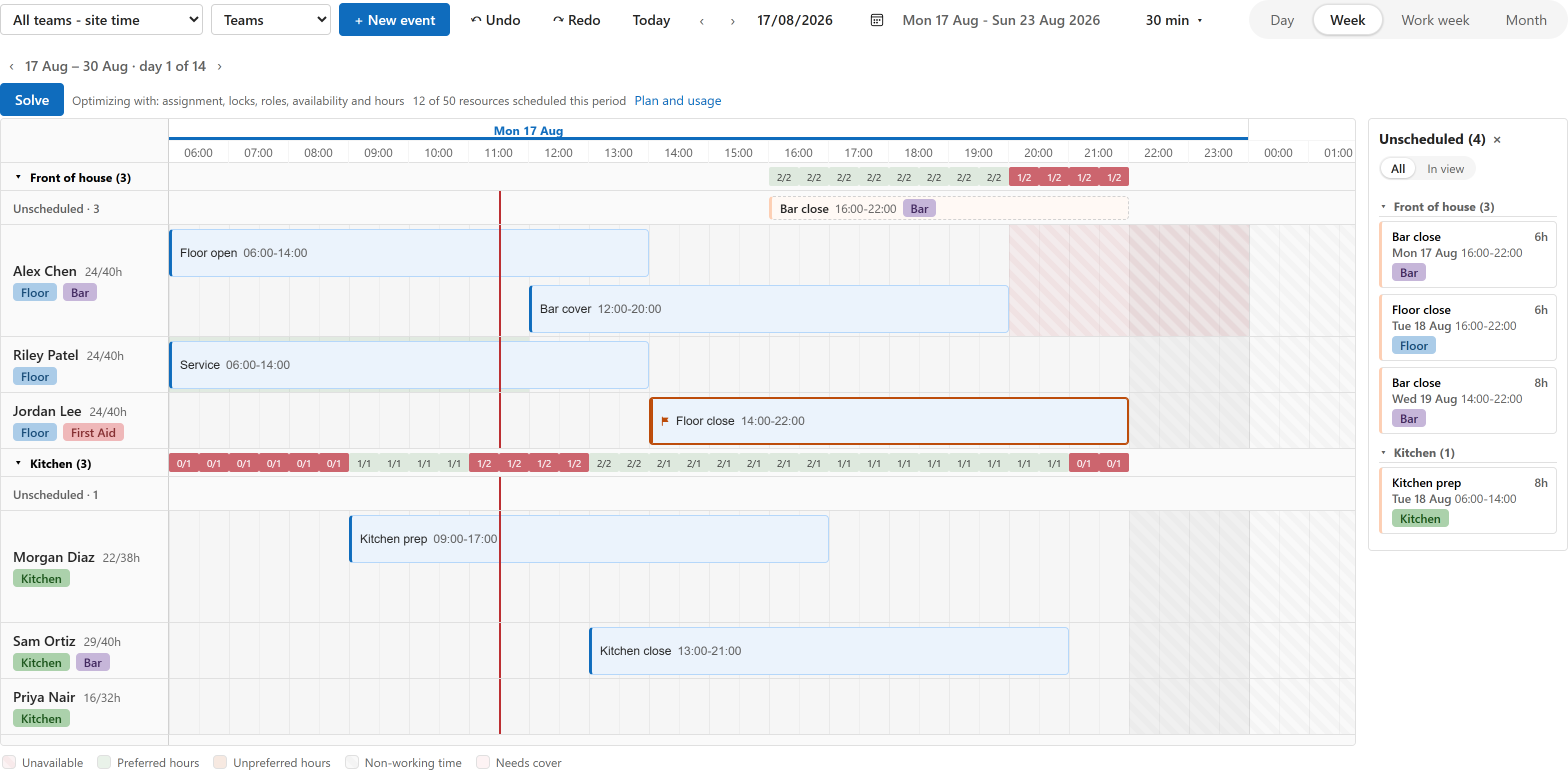
The board to schedule. Three bindings to connect. Optimize to fill and balance.
Drag-and-drop on any table with a start and an end, inside your model-driven app. Free, no account.
Explore the schedulerBind Title, Start and End on a view. Add a lookup for lanes. Two configuration rows hold the rest.
How connecting worksOne click fills open work and balances the schedule against your rules. The answer is a proposal on the board.
How Optimize worksLanes per person, an unscheduled panel, collision detection on every drop, undo and redo. Every edit saved to your table as it happens.
The free scheduler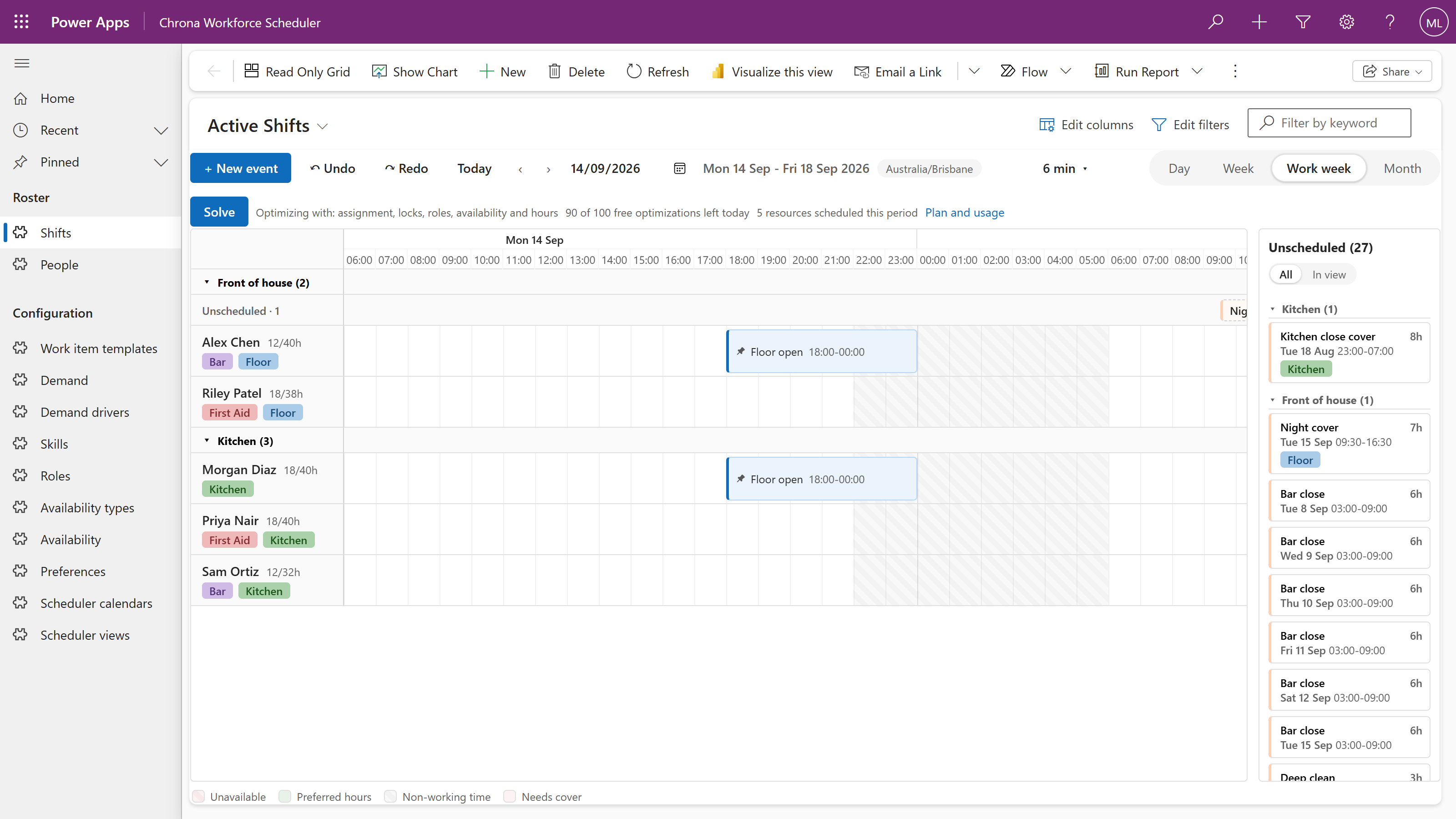
Title, Start and End are required. Resource, a lookup, gives you lanes. Working hours, time scale, grouping and collision policies live in two rows the scheduler reads.
Where things are set upFills open work and balances the schedule against your rules. The dialog shows what a run sends; the answer arrives as a proposal on the same board.
How Optimize worksYour rows, your app, your security roles. The scheduler adds a board to a view; nothing moves and nothing is copied.
The right person. The right skills. The right time. Optimization considers the plan as a whole, not just the next empty slot.
The path from download to a working board, as the install guide walks it.
Install guideOne managed solution from the release. Give people the Chrona Scheduler User role. About ten minutes, no code.
Title, Start and End on a view. Resource, a lookup, for lanes. Save and publish, open the view, drag.
One click. The dialog shows what a run sends, and Try a free sample run connects without a sign-up form. The answer is a proposal you Apply.
When people, work and time need to line up, bring planning closer to the application that runs your business.
Jobs, technicians and visits on one board today. Travel-time optimization is not part of this release.
Explore the solutionShifts, skills, availability, hours against capacity, demand and coverage. The paid Workforce Scheduler solution.
Explore the solutionAppointments, recurring visits and the people who deliver them, on the board today.
Explore the solutionAdd a planning experience to the solution you are already building. Start with the scheduler. Connect your model. Extend it with optimization.
Components and configuration, rather than a second application to work around.
Your operating rules shape the plan. Constraint packs add specialist logic.
Make the outcome visible. Keep the decision with the people doing the planning.
Keep assignments connected to the records and workflows that give them meaning.
Practical guides for the people building and running planning applications.
More questions about your application?
Ask a questionNo. Chrona Scheduler is a component on a view of your model-driven app. Chrona Workforce Scheduler adds rostering tables and an app around the same board.
The scheduler, with no account. Optimize gives a connected environment three completed runs a day. Chrona Workforce Scheduler is the paid solution, priced per scheduled person.
No. The scheduler works on your table and saves every edit to your row. An Optimize run sends a pseudonymous copy of the period, with ids replaced by placeholders and no names, and you can read it before the first run.
Yes. The scheduler is complete on its own. Optimize is one click away when you want it.
Start with the free scheduler. Add Optimize when you need it.