

Drag, resize, snap
Drag a bar to move it, drag its edges to resize it; it snaps to the time scale you chose. Create by dragging on an empty slot or with + New. Bookings made in another app? One switch on the view turns creating on the board off.
Free, no account
 Power Platform
 Power Apps
Drag-and-drop scheduling for any Dataverse table with a start and an end, inside your model-driven app.
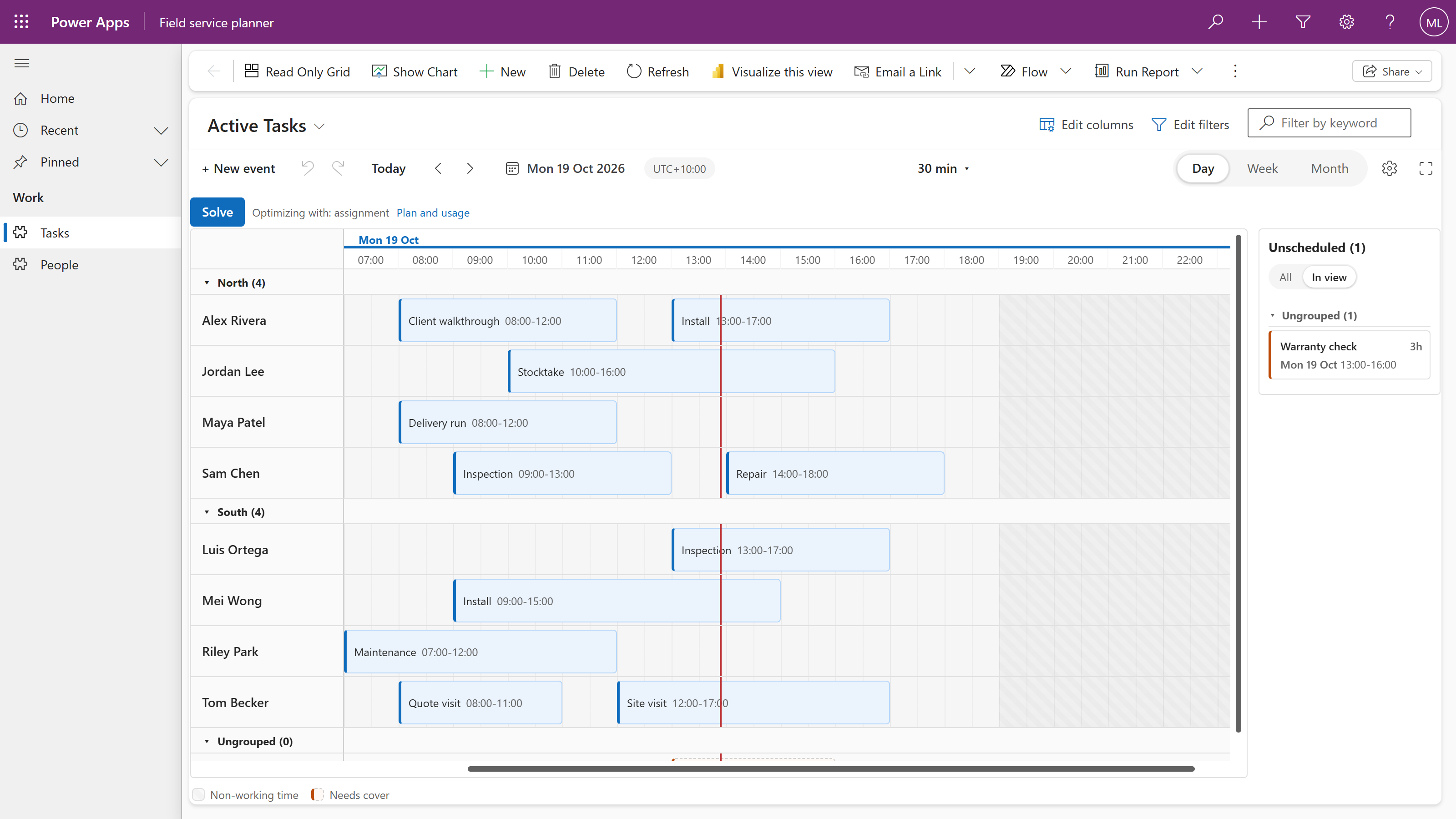
Drag a bar to move it, drag its edges to resize it; it snaps to the time scale you chose. Create by dragging on an empty slot or with + New. Bookings made in another app? One switch on the view turns creating on the board off.
Bind a lookup to the person or asset and the board grows lanes. Open work waits in the panel; drop it on a person to assign it.
Two shifts on one person, a shift outside working hours, a missing skill, booked leave. Each check is off, a warning or a block, your choice.
Select several bars and move them by hours, days or weeks, or reassign them to another person in one go. Copy and paste, undo and redo.
Every drag writes the start, the end and the lookup to your table as it happens, with who made it. Your security roles apply. Undo and Redo write back the same way.
2,000 people and 20,000 shifts on one board. Only the rows in view are on the page.
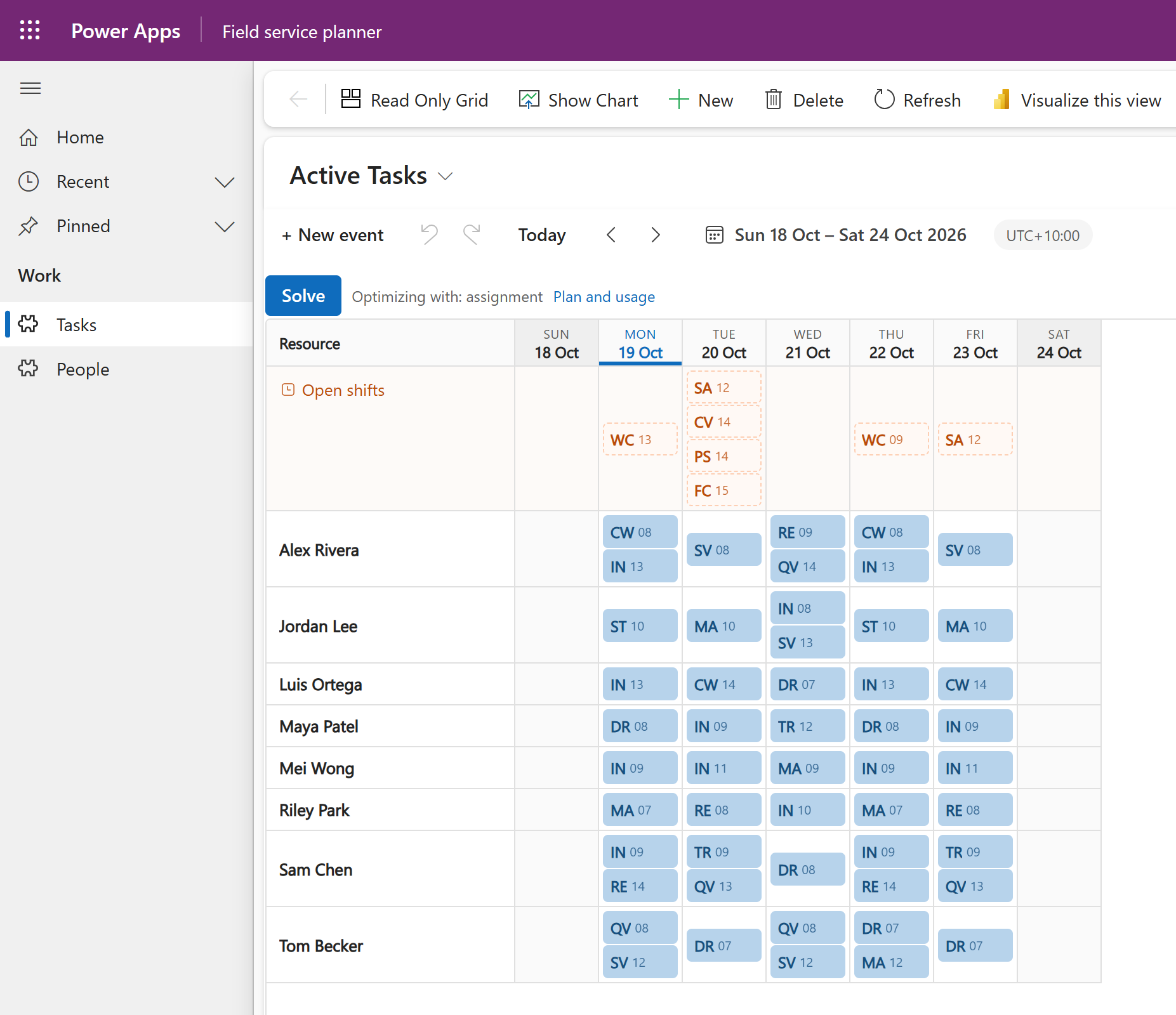
You choose the layout for each view.
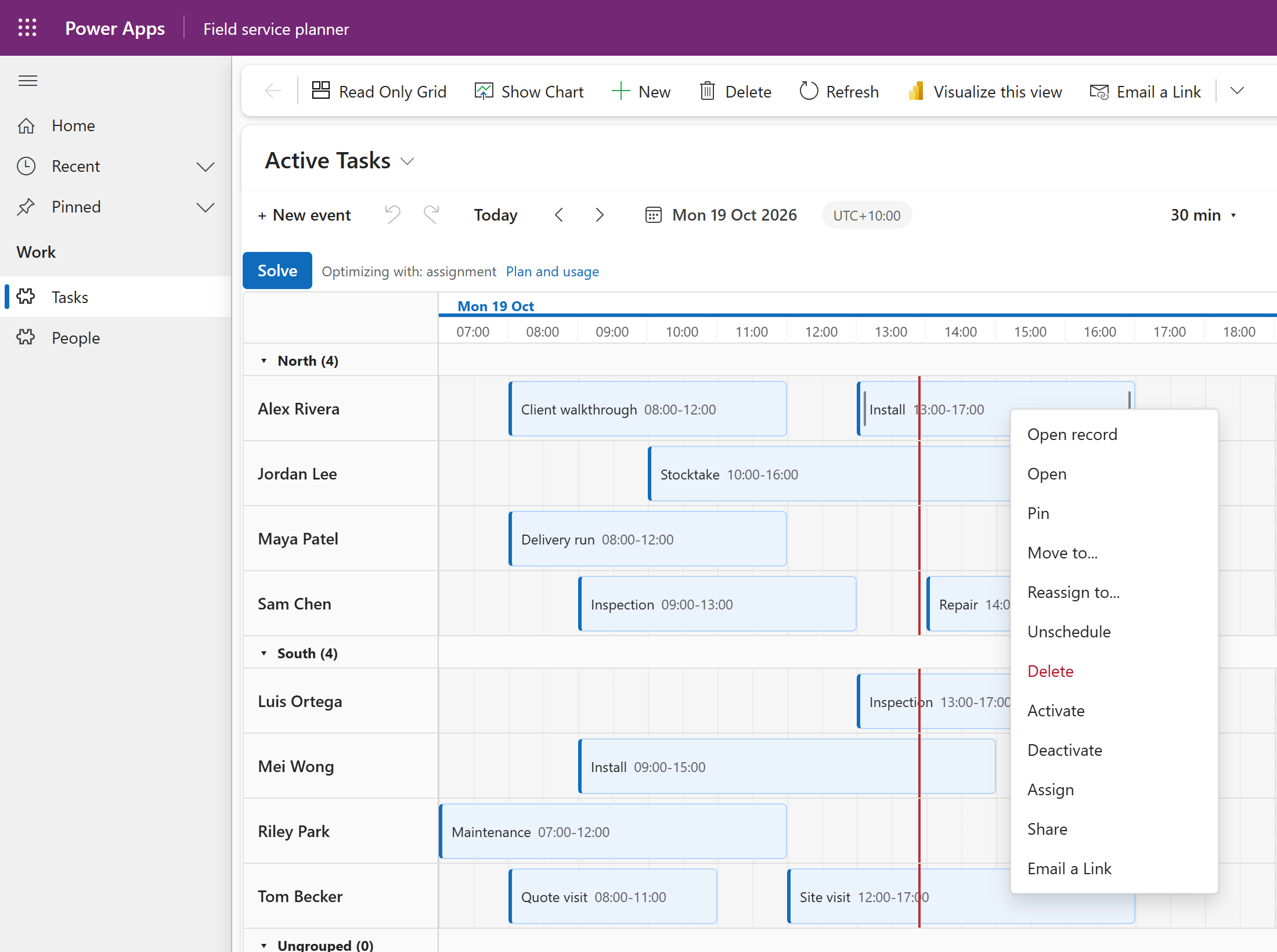
The board follows each person's Power Apps language, so every planner works in their own.
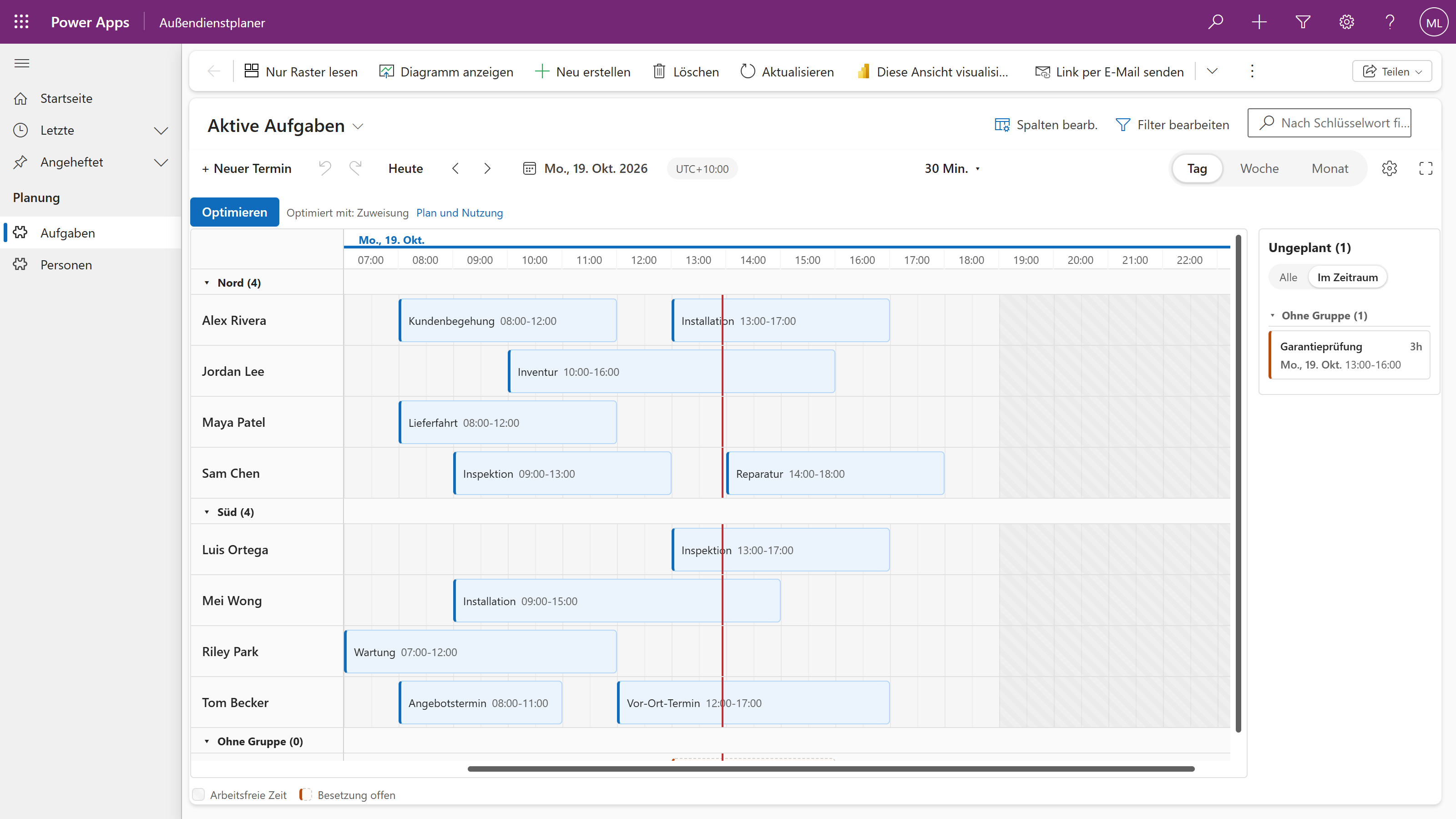
Open record, Chrona’s own actions and the commands your app already has, on the same menu. Two switches on the view keep or remove Open record and your app’s commands. The scheduler is a component on your view, not a second application.
Bind them in the view designer's property pane.
Choose columns from the view you want to schedule.
| Scheduler field | Your column |
|---|---|
| Title | Text |
| Start | Date and time |
| End | Date and time |
| Resource | Person or asset lookup optional, for lanes |
Nothing is copied and nothing moves. Every setting lives in a row you can open in the maker portal.
The time zone, grouping, capacity and the collision policies, in a Chrona Scheduler row for your table. Chrona creates it the first time you connect Auto Schedule.
Layout, time scale, working hours and weekends, in a Chrona Scheduler View row for each view. Open it from the gear on the board.
Select a period and Auto Schedule proposes assignments for its open work against your rules. Three completed runs a day are free. While it runs, the board fills in live, shift by shift.
No shift needs to be assigned first.
Must rules take priority; planning goals help compare the options that remain.
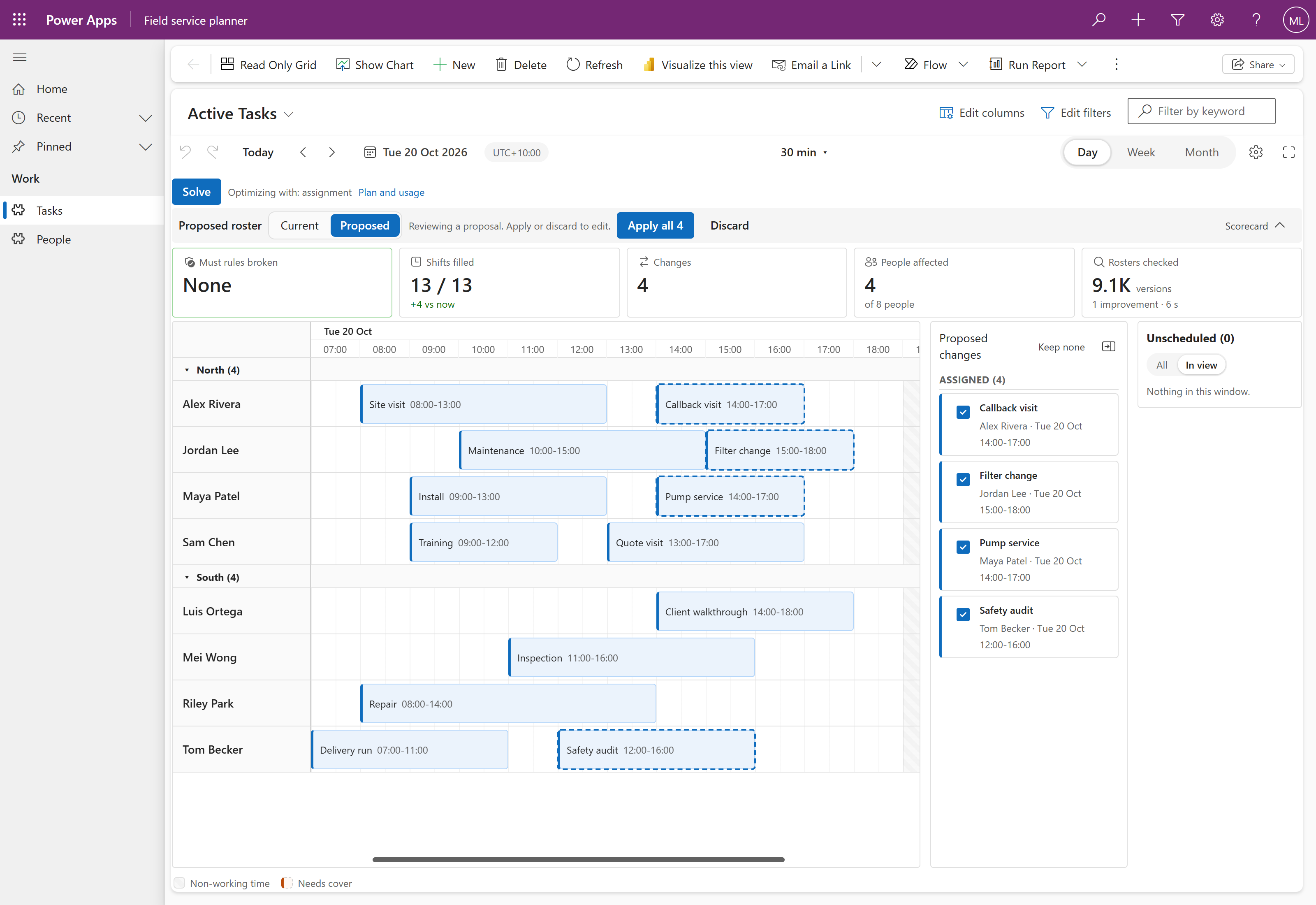
The strongest plan found during the run appears as a proposal on your board. Review each change, then Apply the changes you accept.
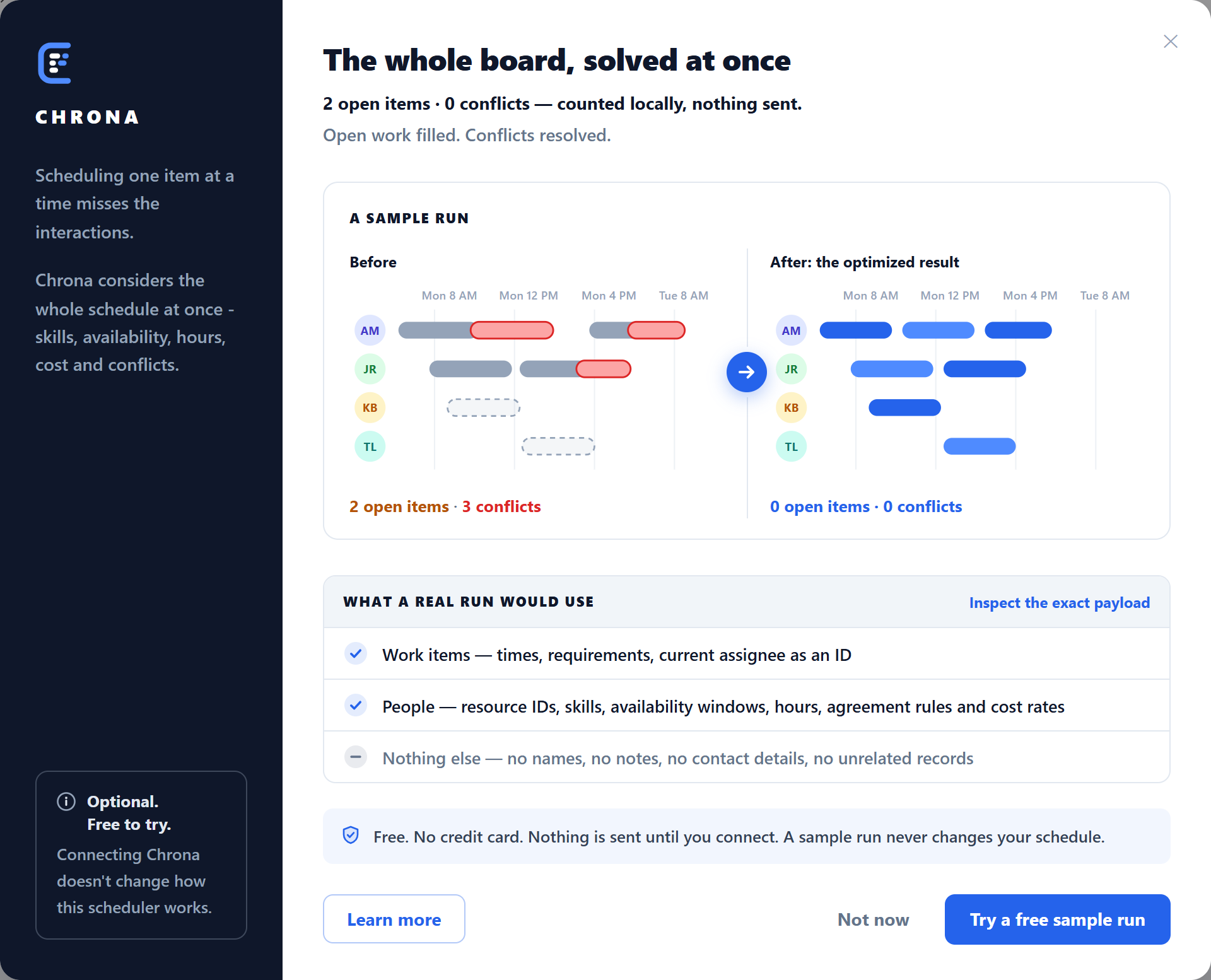
Before you connect, Auto Schedule opens this dialog: a sample before and after, and exactly what a real run would send. Choose Try a free sample run to connect your environment; there is no sign-up form.
Proposed placements carry a dashed ring, a moved shift leaves a ghost at its old place, and the list names every change.
Start with the free scheduler. Run Auto Schedule when the work demands more.